How to set alerts on Gyoza Flights

Jason Cooper
9, February 2026
If you’ve ever found yourself refreshing the Qantas or Virgin Australia website at 11:47pm, wondering if this is the moment you’ll get lucky with finding your dream reward seats, then… welcome to our club.
That’s why Gyoza Flights exists, and our handy alerts system is one of the most powerful ways you can utilise your subscription to make your travel planning go smoother. Here’s a quick guide to setting them up and making the most of their features.
Why do reward seat alerts matter?
Reward seat availability isn’t always easy to follow. Some airlines release seats in advance, while others only drop them close to departure. And a few also release seats seemingly at random throughout the year. So how can you stay on top of them?
Unless you enjoy checking the same routes multiple times a day (no judgment), manual searches aren’t sustainable over the long run. Alerts do the checking for you. When a seat matching your criteria becomes available, you get notified.
Start by running a normal search on Gyoza Flights
Heads-up: you need to be a paid Gyoza Flights member to set alerts and search for flights beyond 60 days from now.
With that out of the way, simply run a flight search for the dates and destinations you have in mind. You can do that through the ‘City to City’ page or the ‘Business & First Class’ page.
Using the ‘City to City’ search:
Enter your origin and destination cities, the desired travel date and tick '+/- 3 days' if you want to search a whole week at a time.
Choose whether you want to use Qantas Points or Velocity Points (or both), add the number of passengers and whether you want direct flights or are happy with a stop.
Any results matching your criteria will appear. Hopefully it ticks all the boxes!
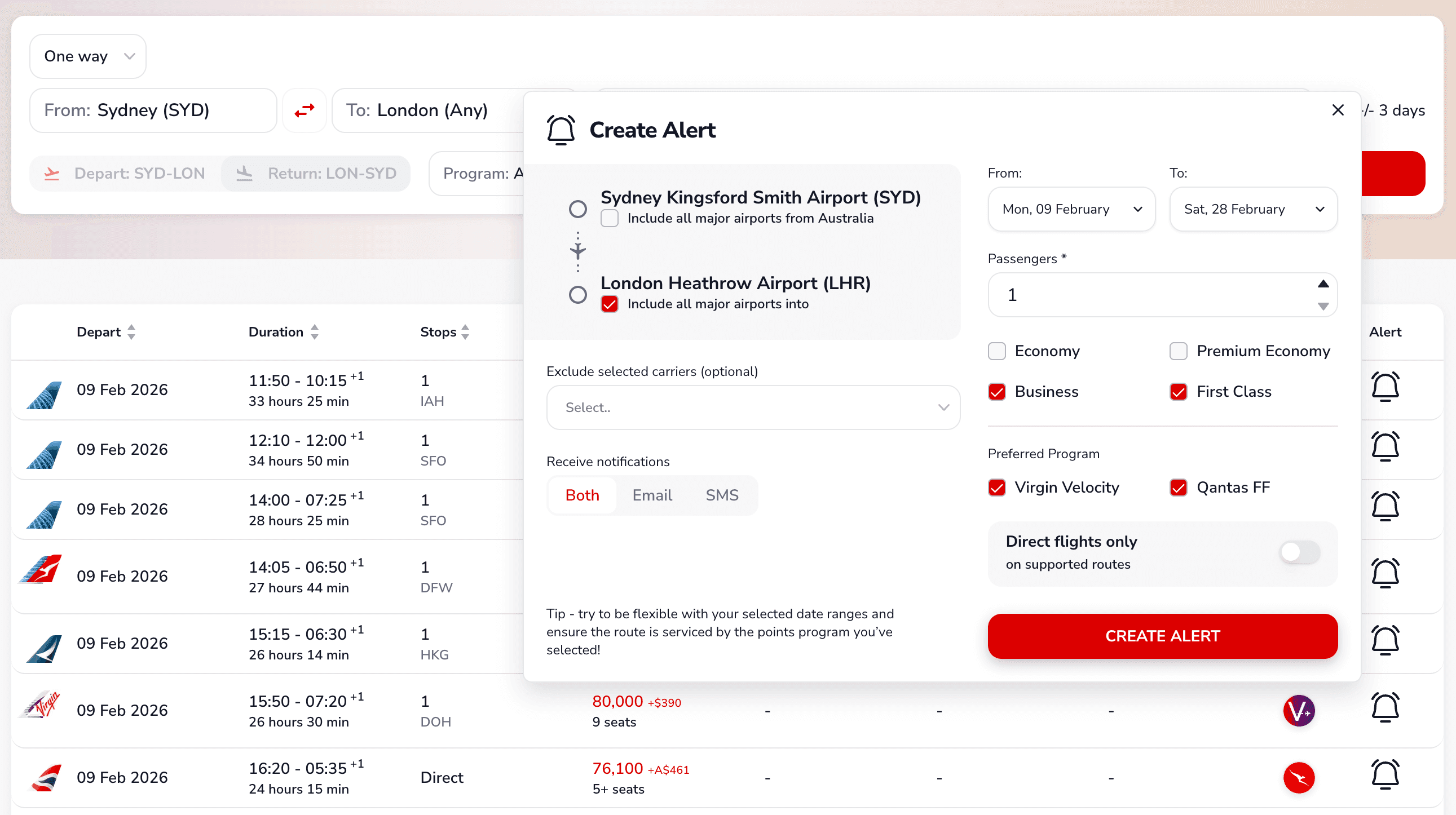
If not, don’t stress. Simply click on the ‘Alert’ bell icon on the right-hand side of any result (it doesn’t need to be the flight you’re after). If no results appear, you’ll see a sad gyoza face, followed by a link to set up a new alert.
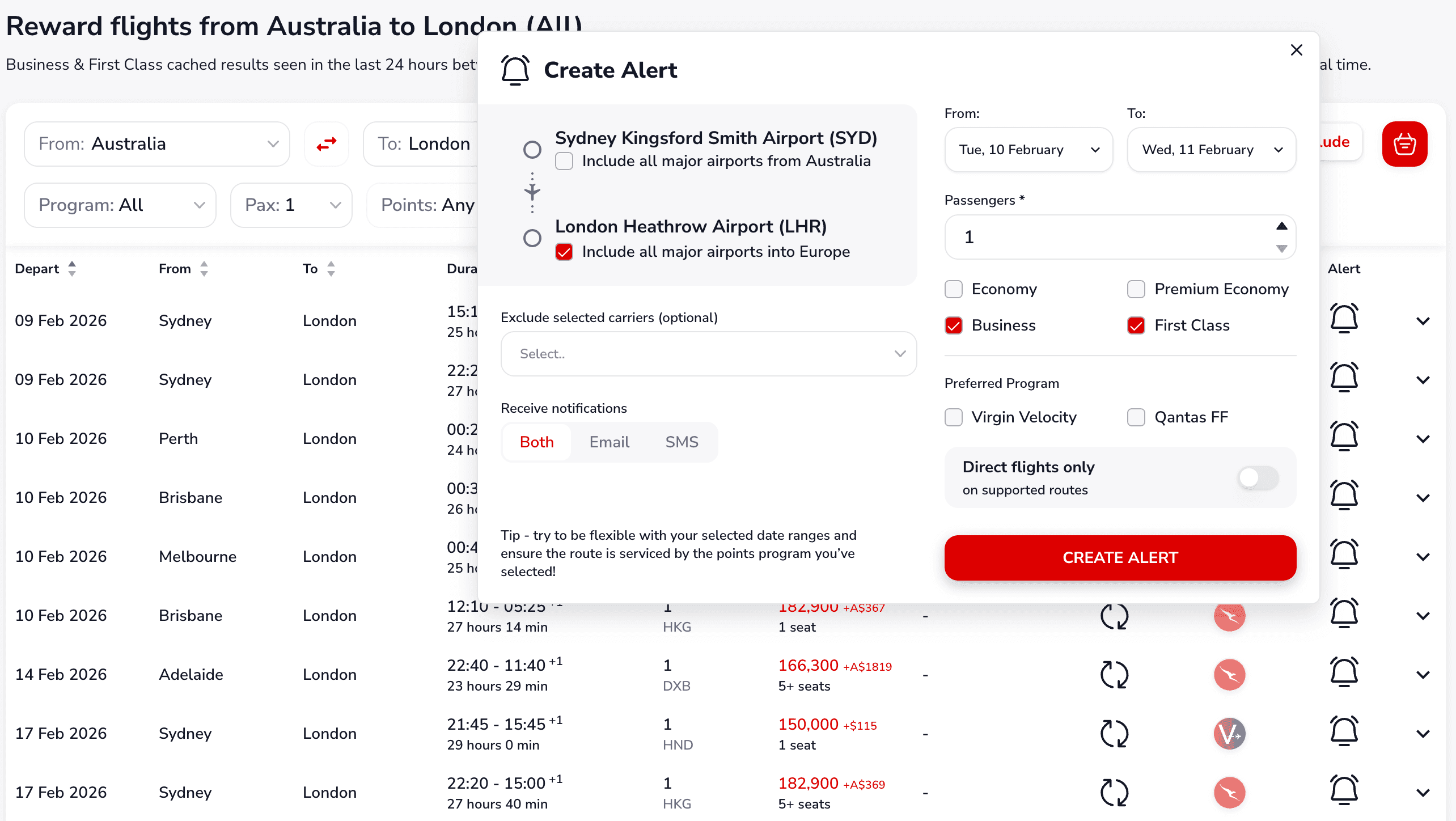
Either way, a pop-up window will appear. In the window, you can customise the alert, including date ranges, number of passengers, cabin classes, preferred points program, whether you want direct flights, which airlines to include or exclude, and how you want to receive alerts (SMS or email).
Click ‘Create Alert’ and sit back while our systems do all the hard work.
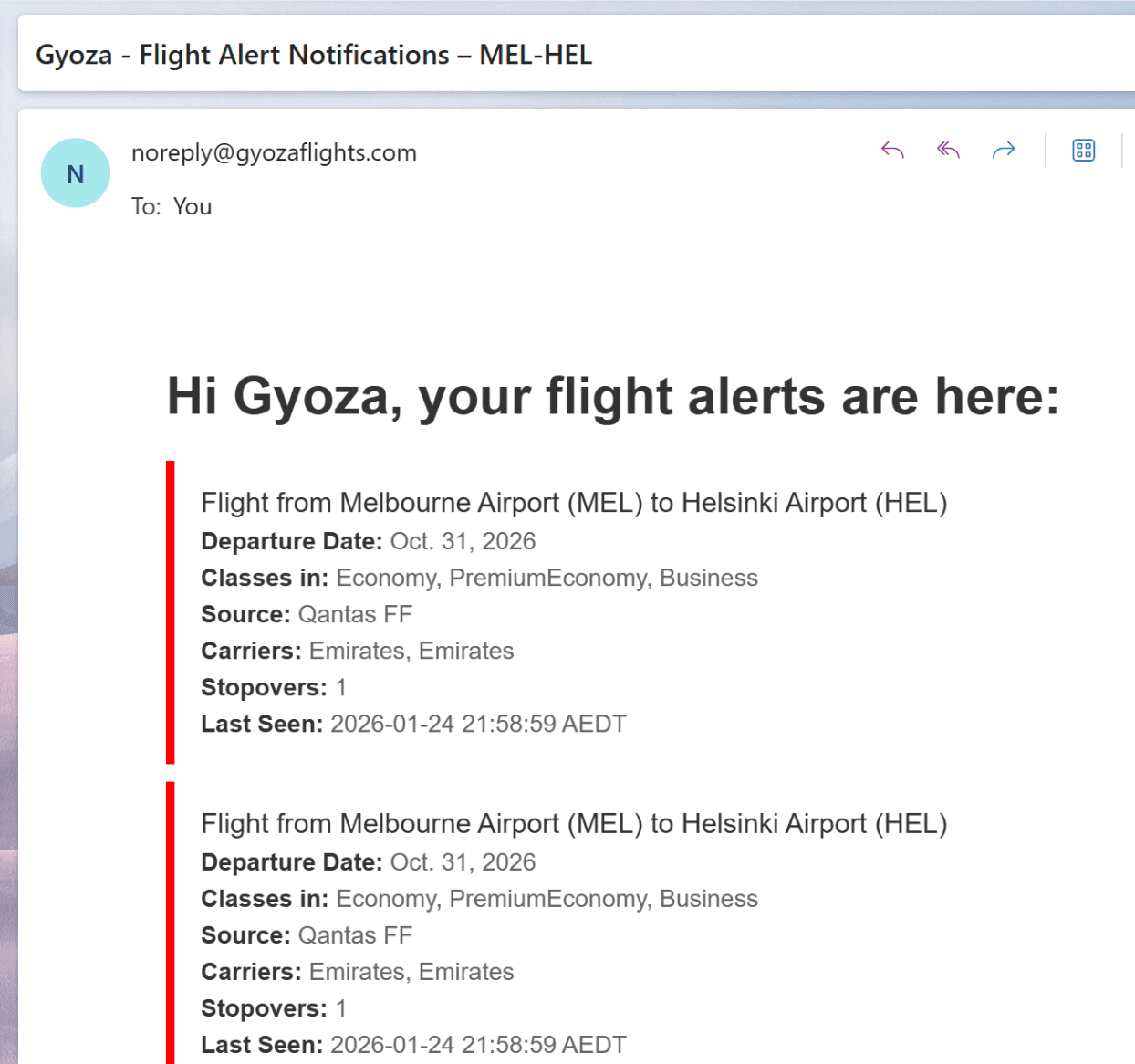
If we see any new reward seats that match your search, our system will notify you 😎
Using the 'All Business & First Class' search
Open the All Business & First Class page and refine any of the search parameters as needed. You can search by specific city pairs (for example, Sydney to London), or widen the search to countries or regions (such as Australia to Europe) if you’re more flexible - perfect if you’re happy flying into major metro airports across Europe rather than one exact city.
Any results that match your criteria will appear. Hopefully, one of them ticks all the boxes.
If not, don’t stress. Simply click the Alert bell icon on the right-hand side of any result - it doesn’t need to be the exact flight you’re after. Alerts are designed to be broader and smarter than a single moment-in-time search.
When the alert window opens, you can customise exactly what you want us to monitor:
- city-to-city or city-to-region searches:
- flexible date ranges
- passenger count
- cabin class selection
- preferred points program
- direct flights only
- Include or exclude specific airlines
- Alert delivery method
Once you’re happy, click Create Alert and sit back while our systems do the hard work.
If any new reward seats appear that match your criteria, we’ll notify you as soon as they do — giving you the best chance to book before availability disappears.
How to make the most of Gyoza Flights alerts
Be flexible if possible. Set alerts for a range of dates and destinations to increase your chances of getting a successful result. You can tick the box ‘Include major airports’ in the alert window to widen the search.
Untoggle ‘Direct flights only’ if you don’t mind a transit stop, as that can unlock more airline choices.
Add both a mobile number and an email address to the alert.
If you receive an alert, we recommend checking the airline's website and booking as soon as possible, as reward seat availability can change quickly.